

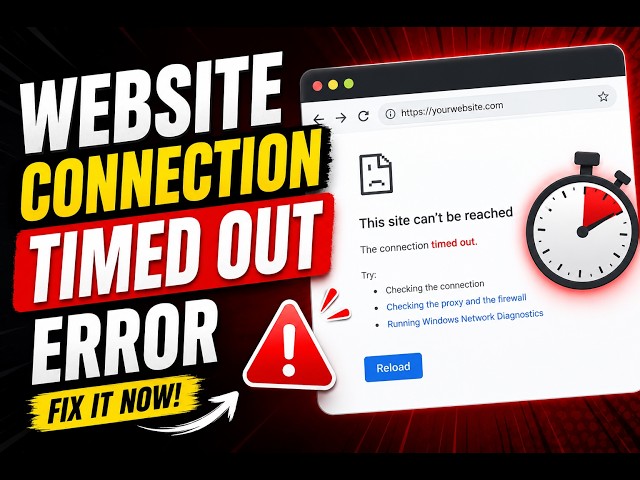
Encountering a sudden error message while attempting to load your favorite online gaming platform can be an intensely frustrating experience. Among the various network interruptions players encounter, the “Connection Timeout” error is one of the most common. When your browser displays a notification stating that the server took too long to respond, it signals a breakdown in communication between your local device and the remote web server.
For online slot enthusiasts, timeouts do not just disrupt entertainment; they can interrupt active sessions, delay balance updates, or halt gameplay mid-spin. Understanding the root causes of connection timeouts ranging from local routing bottlenecks and DNS resolution lags to server-side overloads and firewall interventions enables users to diagnose and resolve these issues systematically.
This comprehensive guide explores the technical mechanisms behind connection timeouts, breaks down effective troubleshooting strategies, and outlines proactive steps to ensure stable, uninterrupted platform access.
Anatomy of a Connection Timeout: What Happens Behind the Scenes?
To fix a connection timeout effectively, it helps to understand what the error actually means in technical terms.
The Request-Response Cycle
When you type a URL into your browser or click an alternative link to access a slot platform, your device initiates a transmission control protocol (TCP) handshake with the remote server hosting the site. Your browser sends a data packet requesting connection access, and the server is expected to reply within a predefined time limit.
Why Timeouts Occur
A connection timeout occurs when your device sends a request, but the server fails to reply within that specific window (typically 30 to 60 seconds). The browser, assuming the connection is dead or unreachable, aborts the request and displays a timeout error code, such as:
- HTTP 504 Gateway Timeout: The upstream server failed to receive a timely response from another server it needed to access to complete the request.
- ERR_CONNECTION_TIMED_OUT: The local browser attempted to reach the destination IP address, but no acknowledgment packet returned.
- ERR_TIMED_OUT: General network latency prevented packet transmission across intermediate routers.
Common Causes of Connection Timeouts on Slot Platforms
Identifying why a timeout is happening requires looking at both local environment factors and remote server conditions.
1. Local Network Latency and Packet Loss
Unstable internet connections such as weak Wi-Fi signals, congested cellular data bands, or overloaded home routers frequently drop data packets. If your request packet never reaches the server, or if the server’s reply packet gets lost on its way back, a timeout is inevitable.
2. DNS Resolution Failures and Slow Resolvers
When your browser translates a human-readable domain name into a numerical IP address, it queries a Domain Name System (DNS) server. If your Internet Service Provider’s (ISP) default DNS resolver is sluggish, overloaded, or blocking specific queries, the initial lookup phase can stall entirely, triggering a timeout before data transmission even begins.
3. Server-Side Congestion and Traffic Spikes
Online gaming platforms experience heavy traffic fluctuations, particularly during peak evening hours, weekends, or major promotional events. If thousands of users flood a platform’s front-end load balancer simultaneously, the server processing queue fills up. If the server cannot acknowledge your connection request within its timeout threshold, your browser will register a timeout.
4. Firewall, Antivirus, and VPN Interference
Aggressive local security software, corporate firewalls, or strict antivirus extensions can mistakenly flag gaming traffic or domain handshakes as suspicious. When security suites intercept and inspect outgoing data packets without proper configuration, they can delay the handshake long enough to trigger a timeout error. Similarly, poorly routed Virtual Private Network (VPN) servers can introduce massive latency spikes that stall connections.
Step-by-Step Troubleshooting Protocol for Connection Timeouts
When a connection timeout occurs, working through a structured troubleshooting sequence helps isolate and resolve the issue quickly.
1. Diagnosing Local Connectivity and Power-Cycling Hardware
Before adjusting advanced settings, verify that your local network hardware is functioning correctly.
- Restart Your Router and Modem: Unplug your router and modem for 30 seconds to clear temporary routing caches, reset IP lease allocations, and clear clogged buffer memory.
- Switch Network Mediums: If you are experiencing timeouts on a home Wi-Fi network, temporarily switch to mobile data (such as a 4G/5G hotspot). If the site loads instantly via mobile data, the issue lies specifically within your home ISP routing or router configuration.
2. Clearing Browser Cache and Corrupted Cookies
Over time, accumulated browser cache files, outdated scripts, and corrupted cookies can conflict with a website’s updated server scripts, causing infinite connection loops and timeouts.
- Clear Site Data: Navigate to your browser settings, locate privacy history, and clear cached images, files, and cookies specifically for the gaming domain.
- Test in Incognito/Private Mode: Open a private browsing window and attempt to access the platform. Incognito mode disables local extensions and uses a fresh cache, helping you determine if a browser extension is causing the delay.
3. Flushing DNS Cache and Switching to High-Speed Resolvers
If your DNS lookup process is stalling, clearing your local DNS cache and switching to a reliable public DNS provider can eliminate resolution timeouts entirely.
- Flush Local DNS (Windows/Mac): Open your command prompt (Windows) or terminal (Mac) and execute the cache flush command (ipconfig /flushdns on Windows, or sudo dscacheutil -flushcache on macOS).
- Configure Public DNS Providers: Update your network adapter settings to use high-speed, secure public resolvers that bypass slow ISP lookup nodes:
- Cloudflare DNS: Primary 1.1.1.1 | Secondary 1.0.0.1
- Google Public DNS: Primary 8.8.8.8 | Secondary 8.8.4.4
4. Utilizing Official Alternative Links and Mirror Domains
If the primary server address is undergoing maintenance, experiencing heavy localized congestion, or facing network filtering, trying to force a connection will only result in repeated timeouts.
- Switch to an official, pre-saved mirror domain or backup URL provided by the platform operator.
- Official alternative links connect to the same core user database and backend game servers via alternative IP pathways, bypassing primary route congestion entirely.
Advanced Network Optimization Techniques
If you experience recurring timeouts despite basic troubleshooting, implementing advanced network adjustments can provide long-term stability.
1. Optimizing VPN Protocols and Server Nodes
While a VPN is a valuable tool for maintaining privacy and bypassing local network restrictions, a poorly chosen VPN server can cause severe latency.
- Select Nearby Server Locations: Connecting to a VPN server located thousands of miles away introduces physical transmission lag. Choose server nodes located in regions close to your actual geographic position or near the platform’s primary hosting hub.
- Use Lightweight Protocols: Switch your VPN protocol settings from heavy options to modern, high-speed protocols like WireGuard or OpenVPN (UDP), which minimize packet overhead and maintain stable throughput.
2. Disabling Interfering Browser Extensions
Certain aggressive ad-blockers, script-blocking extensions, or strict privacy add-ons can block necessary WebSocket connections or API calls required by modern HTML5 slot gacor engines.
- Temporarily disable third-party content blockers when loading complex gaming platforms.
- Ensure your web browser is updated to the latest version to maintain full compatibility with modern WebGL and SSL handshake protocols.
3. Adjusting TCP/IP Settings and MTU Limits
For advanced users experiencing persistent packet fragmentation over specific local connections, adjusting Maximum Transmission Unit (MTU) packet sizes on your router can prevent packet dropouts that lead to timeout errors during heavy data transfers.
Preventive Maintenance to Avoid Future Connection Interruptions
Rather than scrambling to fix a timeout error when you want to play, adopting proactive digital habits ensures a smooth, continuous gaming experience.
Maintain an Organized Backup Directory
Keep an updated, secure record of verified alternative links, backup domains, and official support contact channels provided by the platform. Having immediate access to secondary entry points ensures that a timeout on the primary domain never halts your session.
Perform Routine System and Browser Hygiene
Regularly update your operating system, clear unnecessary browser data, and verify that your network security software is not unnecessarily throttling web traffic. Maintaining clean hardware and software environments keeps your connection handshakes fast and responsive.